Overview
System Issue Tracker started as a purpose-built tool for tracking production equipment issues, but the underlying idea is customizable: define a set of systems, log issues by unit, separate open and closed items, and give users a simple visual dashboard for current status.
It is not just a table demo. It is an operations-style dashboard focused on shop-floor visibility, issue history, comments, exports, and quick status checks.
Screenshots
Key Features
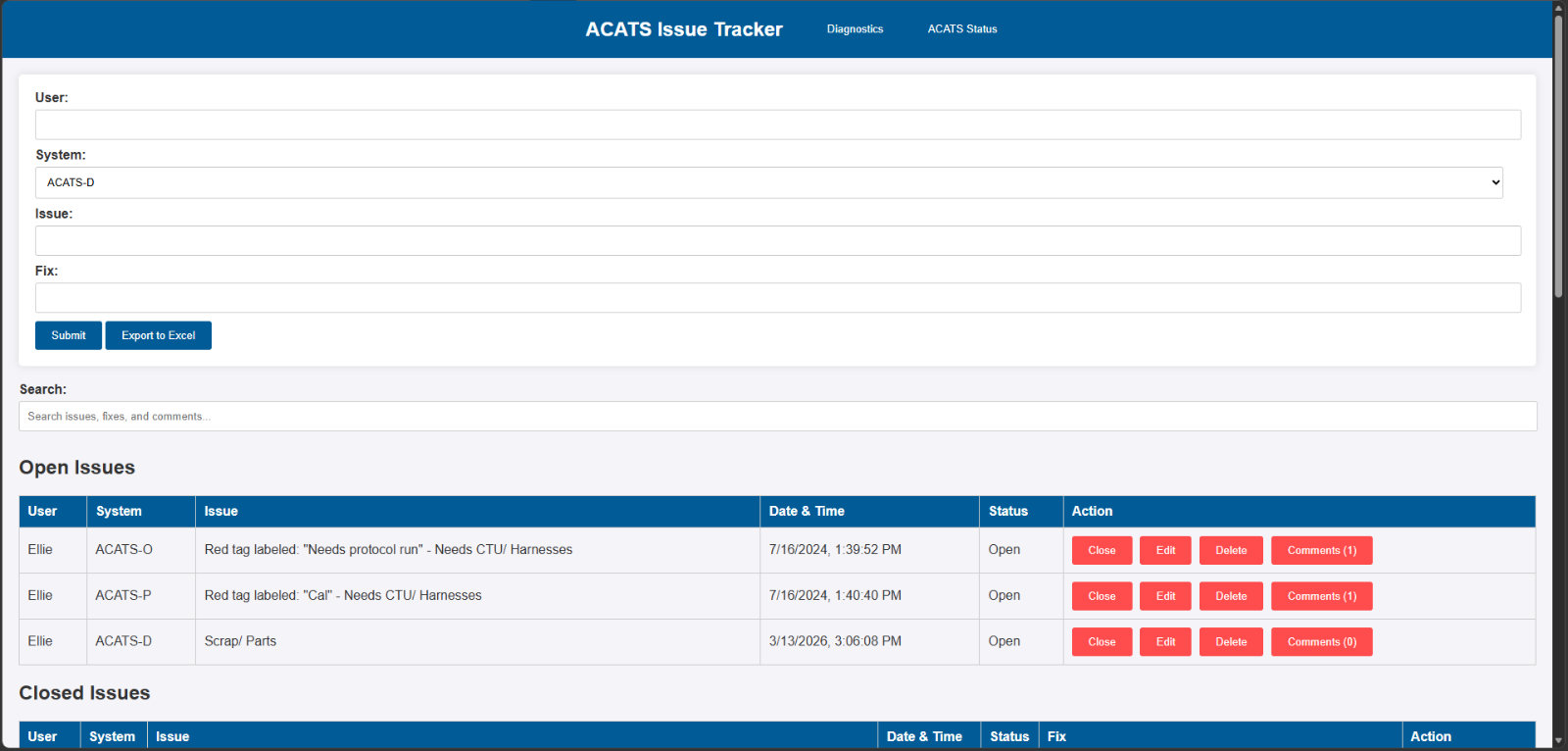
Open and Closed Issues
Keeps active issues separate from resolved items, making it easier to see what still needs attention.
Comments and History
Supports timestamped comments per issue, including comment counts and comment deletion.
Controlled Editing
Open issues can be edited, while closed issues are protected from accidental changes.
Close Issue Workflow
Closing an issue prompts for the fix, preserving useful resolution history instead of just hiding the problem.
Excel Export
Exports issue data to Excel for reporting, review, and offline records.
Server Diagnostics
Includes a diagnostics view for CPU, RAM, and storage checks on the system hosting the tracker.
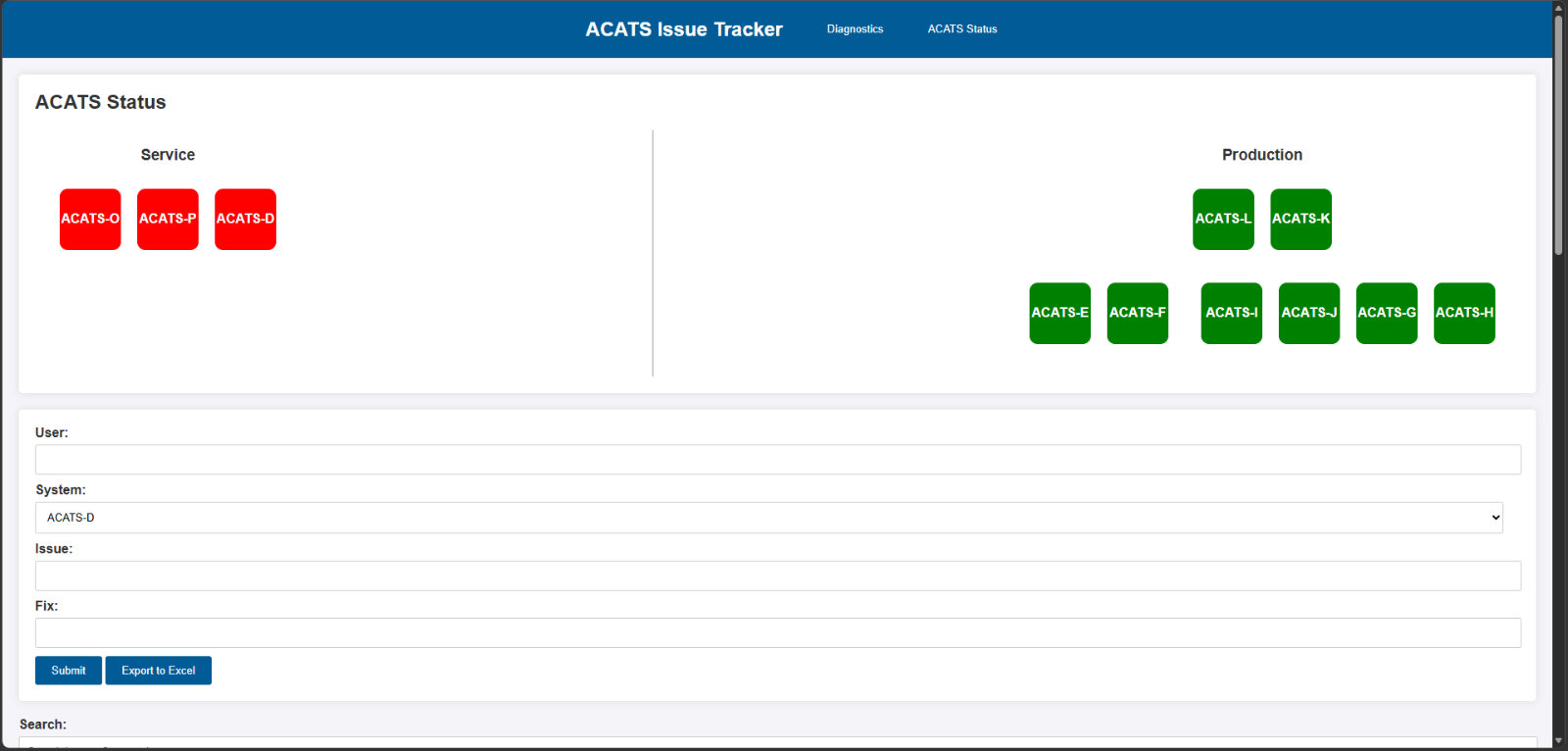
Visual Status Map
The tracker includes a visual map where each system is represented by a square status block. Green means no open issue. Red means one or more open issues. The status view updates when issues are added, edited, closed, or deleted.
This was designed around production-floor thinking: users should not need to dig through a spreadsheet to know which system needs attention.
Technical Notes
The original version used a Node.js backend, a browser-based frontend, a database file for persistence, and a simple deployment target suitable for small hardware such as a Raspberry Pi.
Why It Matters
The value of this project is not complexity for its own sake. It solves a real visibility problem: when multiple systems are used on a production floor, people need a fast way to see what is broken, what was fixed, who updated it, and whether any unit still needs attention.
This project demonstrates practical problem solving, frontend UI work, backend API thinking, persistence, export features, diagnostic tooling, and workflow design based on real operational needs.
Status
System Issue Tracker is a completed working prototype built for a specific equipment-tracking workflow and designed so the system labels and layout can be adapted for other production environments.
Source code and downloads are not publicly posted yet.